
Google Analytics for Small Business: Why It Matters and How to Set It Up
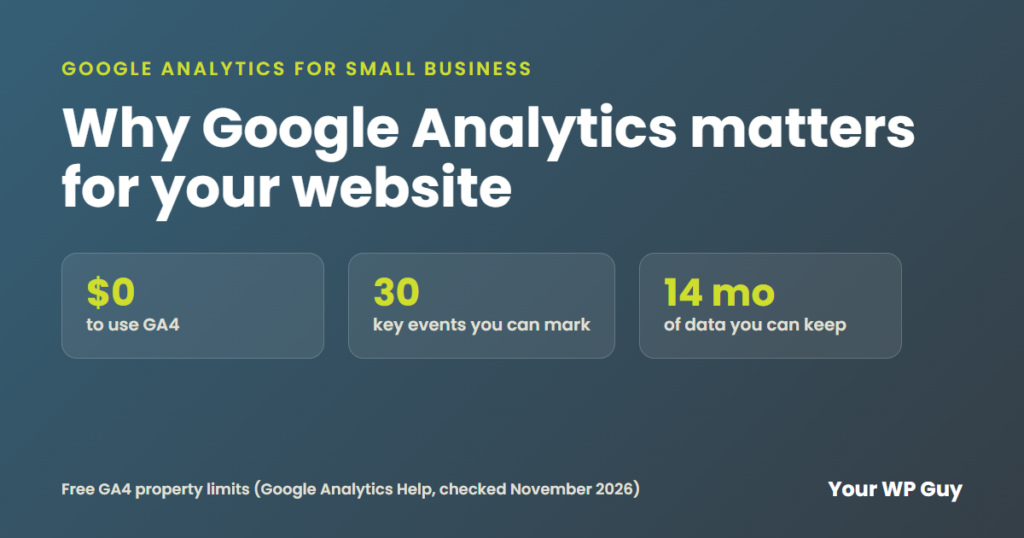
Google Analytics is a free tool from Google that shows how people find your website and what they do once they get there. For a small business, it answers the questions that matter most: which pages bring in calls and form leads, which ads are worth the money and where visitors give up. Without it, you are guessing. If you want it set up and read for you, see our website traffic services.
Do you ever wonder if your website is doing anything for your business? You pay for it, you update it, and you still can't tell if it brings in customers. That is a hard place to be.
We build and run WordPress sites for small businesses, and we check Google Analytics on every site we work on. Here is what it tells you, how to set it up on WordPress, the settings most people miss and the free Microsoft tools that work beside it.
What does Google Analytics tell a small business?
The current version is called Google Analytics 4, or GA4. It replaced the old Universal Analytics, which stopped collecting data on July 1, 2023. If your site was set up before then and nobody moved it, it may not be tracking anything now.
GA4 can show you:
- Where visitors come from: Google search, Bing, ads, social media, email or other websites
- Which pages they visit and which pages they leave from
- What they do: forms sent, calls clicked, purchases, file downloads
- Which device they use, so you know how much of your traffic is on phones
- Where they live, down to the city
It can't tell you who a visitor is by name, and it can't tell you what someone searched on Google before they clicked. For search words, you need Google Search Console, which we cover below.
Why is Google Analytics important for your website?
- You stop guessing. You see which pages bring leads and which ones nobody reads.
- You know if your ads work. You can see how many leads came from each ad, so you can cut the ones that don't pay.
- You find problems early. A sudden drop in visitors or leads often means something broke, like a form or a page.
- It costs nothing. Google calls it insights "at no cost". There is a paid version, Analytics 360, but small businesses don't need it.
How do you add Google Analytics to a WordPress site?
Here are Google's steps for a new account, then the three ways to connect it to WordPress:
- Go to Google Analytics and sign in with your Google account.
- Click Admin, then Create, then Account. Name it after your business.
- Create a property for your website. Set your time zone and currency.
- Add a web data stream with your website address. Leave "enhanced measurement" on, so page views, scrolls and file downloads are tracked for you.
- Copy your Measurement ID. It starts with G-.
G-XXXXXXXXXXThen connect it to WordPress with one of these:
- Site Kit by Google. Google's own WordPress plugin. It adds Analytics and also shows Search Console and PageSpeed numbers in your dashboard.
- Your SEO plugin. Rank Math has an Analytics module that takes your Measurement ID, so you may not need another plugin.
- Your theme's header code box. Many themes and page builders have a place to paste code for every page. Paste Google's tag there. Don't paste it into theme files, because a theme update can erase it.
Use only one of these. Two at once counts every visit twice.
What are key events in GA4?
Key events are the actions that matter to your business. The old version called them goals. GA4 tracks page views on its own, but it doesn't know that a contact form is a lead until you tell it.
Pick 3 to 5 actions, like these:
- A contact or quote form sent
- A click on your phone number
- A booking or appointment made
- A purchase
To mark one, go to Admin, then Data display, then Events, and click the star next to the event. A standard property allows up to 30 key events, so you have plenty of room. If the event isn't in the list yet, it has to be set up first. That is often a form plugin setting or a small bit of tracking code.
Which GA4 settings should you change on day one?
- Keep data for 14 months. In Admin, open Data Settings, then Data Retention, and pick 14 months. Google's help page says this setting only affects explorations and funnel reports, not the standard reports. Still, 14 months lets you compare this year to last year in those reports.
- Stop counting your own visits. In your web data stream, open Configure tag settings, then Define internal traffic, and add your office IP address. Then, under Data filters, set the internal traffic filter to Active.
- Link Search Console. This adds two reports to GA4 that show the Google searches that brought people to each page.
- Link Google Ads if you run ads, so you can see what each click led to.
Then check that it works. Open Reports, then Realtime, and visit your site on your phone. You should show up as an active user.
Which Google Analytics reports should you check each month?
- Traffic acquisition: where visitors came from, and which source sent the most key events.
- Pages and screens: your busiest pages. Add bounce rate to see which ones people leave fast. Here is what bounce rate means in GA4.
- Key events: how many leads or sales you got, compared to last month.
That is about 10 minutes a month. Write the three numbers down so you can spot a change.
What is the difference between Google Analytics and Search Console?
Google Analytics shows what people do on your site. Search Console shows how your site does in Google search before anyone clicks: the words people searched, how often your pages showed up and where they ranked. You want both, and they are both free. See what is SEO for how search rankings work.
What are the Microsoft tools that work with Google Analytics?
Google is not the only search engine sending you visitors. Microsoft has two free tools worth adding:
- Microsoft Clarity shows recordings and heatmaps of real visits, so you can watch where people get stuck. Microsoft says it is "a free service forever" with no traffic limits. It also connects to Google Analytics.
- Bing Webmaster Tools is Bing's version of Search Console. It shows the Bing searches people used to find you. You can add your site by importing it from Google Search Console, so it only takes a few minutes.
Want your numbers to turn into customers?
You did not start your business to read analytics reports. We set up Google Analytics, Search Console, Clarity and Bing Webmaster Tools the right way, then use what they show to bring you more of the visitors who call. Our monthly WordPress SEO starts at $875 a week and covers Google, Bing, your map listings and AI answers.
1. Talk to us about your business and goals. 2. We set up tracking and find what is working. 3. You get more calls from the pages and ads that pay.
Sources
- Google Analytics Help, Set up Analytics for a website and/or app (checked November 2026)
- Google Analytics Help, Introducing the next generation of Google Analytics (checked November 2026)
- Google Analytics Help, Mark events as key events (checked November 2026)
- Google Analytics Help, Data retention (checked November 2026)
- Google Analytics Help, Filter out internal traffic (checked November 2026)
- Google Analytics Help, Search Console integration (checked November 2026)
- WordPress.org, Site Kit by Google (checked November 2026)
- Microsoft Clarity, Frequently asked questions (checked November 2026)
- Bing Webmaster Tools, Add and verify site (checked November 2026)
What to do next
Open Google Analytics today and check the Realtime report while you visit your own site. If nothing shows up, your tracking is broken, and that is the first thing to fix so your website can do its job as your hardest-working employee.
Keep reading: What is bounce rate? | What is SEO? | What is PPC?