
What Makes a Good Web Page? The 8 Parts of an Optimized Page
A good web page loads fast, works on a phone, says right away who it is for and what to do next, shows proof, and gives Google the basics it needs. That is what an optimized website is, and it is not one trick but eight parts working together, from the headline at the top to the search details people never see. If you want us to fix the pages you have, see our website redesign services.
Do you ever look at your site and wonder why people leave without calling? Most of the time the page is not broken, but it is slow on a phone or it makes people hunt for what to do next.
We build and fix WordPress pages for small businesses, and when we do speed work, we test every page on both desktop and mobile. Here are the parts we check, the numbers Google uses, and a 10-minute test you can run on your own site.
What are the parts of an optimized web page?
Here are the eight parts, from the top of the page down.
| Part | What it does | Quick check |
|---|---|---|
| 1. A clear headline | Tells people they are in the right place | Does it say what you do and who it is for? |
| 2. One main button | Shows the next step: call, book or buy | Can you see it on a phone without scrolling far? |
| 3. Speed | Keeps people from leaving before it loads | Main content shows in 2.5 seconds or less |
| 4. Works on a phone | Fits the screen, easy to read and tap | No sideways scrolling, no tiny text |
| 5. Answer first | Gives people what they came for, fast | Is the answer in the first few lines? |
| 6. Proof | Builds trust with reviews and real results | Is there proof near the button? |
| 7. Images that help | Shows the work, the place or the product | Real photos, sized small enough to load fast |
| 8. Search basics | Helps Google understand and show the page | Title, description, headings and links are set |
Forms count as part of the button, so if the next step is a form, keep it short and ask only for what you need to reply.
How fast should a web page load?
Google measures speed with three numbers called Core Web Vitals. Here they are in plain words:
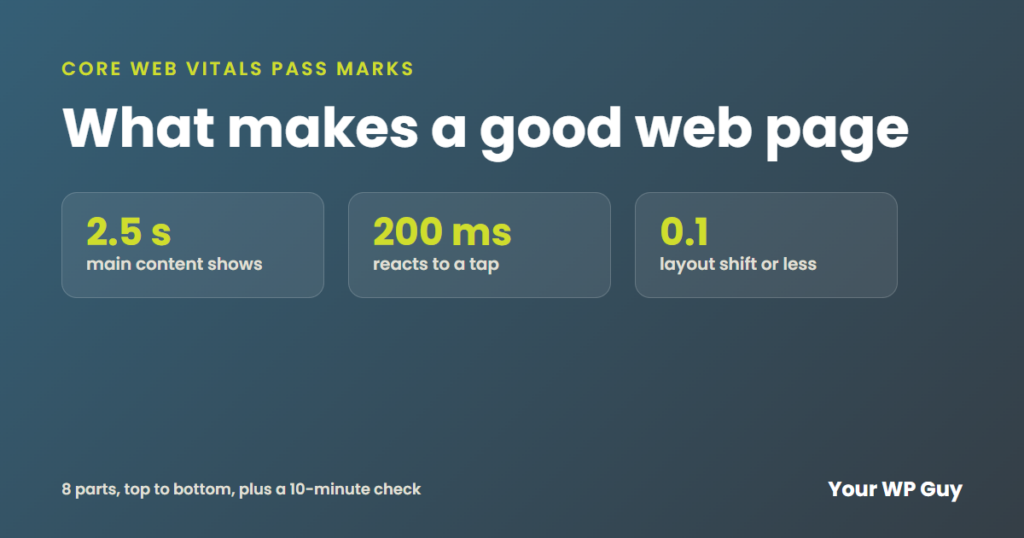
- Largest Contentful Paint (LCP): how long until the main part of the page shows up. Good is 2.5 seconds or less.
- Interaction to Next Paint (INP): how fast the page reacts when someone taps or clicks. Good is 200 milliseconds or less.
- Cumulative Layout Shift (CLS): how much things jump around while the page loads. Good is 0.1 or less.
Google checks these on real visits, and a page passes when at least 3 out of 4 visits meet all three marks. Google says good scores match what its ranking systems try to reward, but it also says the most relevant page still wins, even if it is slow. So speed will not save a page that does not answer the question, but when many pages answer it well, a fast page has the edge.
How we test speed: we run the page through GTmetrix on desktop and on mobile. Then we read the waterfall, which is the list of every file the page loads and how long each one takes, because it shows what is really slow in a way a grade alone does not. Jonathan learned this running an online furniture store with well over 65,000 products, where every slow second cost sales.
Our usual fixes are WP Rocket for caching, Imagify to shrink images and Cloudflare to serve files from close to the visitor. Sites with lots of images or video can also use AWS, and since WP Rocket does not always fix it on its own, we test again after every change. We do not get paid to recommend any of these tools.
Want to check your own page for free? Paste its address into Google's PageSpeed Insights, and if your site is in Google Search Console, open the Core Web Vitals report to see which pages fail.
Does your page work on a phone?
In October 2026, StatCounter showed phones at 59.9% of web traffic worldwide. In the US it was closer, with 52.4% on desktop and 45.43% on phones. Your own numbers depend on your customers, since a restaurant gets more phone visits than a company that sells to offices.
Google cares about the phone version either way, because it uses the mobile version of your page to decide how it ranks, so if something is hidden or broken on a phone, Google may not count it.
Open your page on your own phone and check:
- You can read the text without zooming.
- Nothing makes you scroll sideways.
- Buttons are big enough to tap with a thumb.
- The phone number can be tapped to call.
- Pop-ups do not cover the page.
What makes the words on a page work?
Speed gets people to stay, and words get them to act. Here are a few rules we follow on every page:
- Pass the headline test. Would a stranger know what you do and where in five seconds?
- Answer first. Put the main answer or offer at the top. Details can come after.
- Give each page one job. A page that sells three things often sells none.
- Talk about the customer. Their problem and what changes for them, not your history.
- Put proof near the button. A review or a real result right where people decide.
What on-page SEO does every page need?
These are the parts Google reads, and most of them are set in your SEO plugin, like Rank Math or Yoast.
- A title tag with your main service and town, about 60 characters or less.
- A meta description that says what people get from the page, in about 155 characters.
- One H1 heading, plus H2 headings that read like the questions people ask.
- Alt text on images that says what the image shows.
- Links to your related pages, with words that say where they go.
- A short web address, like /water-heater-repair/ instead of a long string of words or numbers.
Here is what a good title tag and description look like in the page code:
<title>Water Heater Repair in Orlando | Smith Plumbing</title>
<meta name="description" content="Same-day water heater repair in Orlando. Upfront prices and a 1-year warranty. Call or book online.">
You do not need to repeat a keyword a set number of times, so write for the person, use the words they would search, and stop there.
How do you check your own page in 10 minutes?
- Open it on your phone. Can you tell what you do and find the button in five seconds?
- Run PageSpeed Insights. Write down the three Core Web Vitals numbers.
- Read the first lines. Is the answer or offer there, or is it a welcome note?
- Look for proof. Is there a review or result near the button?
- Tap every button and link. Fix any that go nowhere.
- Search your business on Google. Do your title and description make you want to click?
Fix the first thing that fails and then run the check again, because one clear fix beats ten small changes nobody notices.
Want your pages fixed for you?
You did not start your business to read speed waterfalls. Our redesigns start at $1,999, and most business sites come in around $5,000. Need just one page for your ads? A landing page is $1,499. Want to know what is holding your site back first? SEO Research starts at $2,999.
1. Talk to us about your site and goals. 2. We test every page on desktop and phone. 3. You get faster, clearer pages that bring in calls.
Sources
- web.dev, Web Vitals (checked November 2026)
- Google Search Central, Understanding Core Web Vitals and Google search results (checked November 2026)
- Google Search Central, Understanding page experience in Google Search results (checked November 2026)
- Google Search Central, Mobile site and mobile-first indexing best practices (checked November 2026)
- StatCounter, Desktop vs Mobile vs Tablet Market Share Worldwide (October 2026)
- StatCounter, Desktop vs Mobile vs Tablet Market Share in the United States (October 2026)
What to do next
Pick the page that gets the most visits, usually your homepage, and run the 10-minute check today. Fix the first thing that fails, so your website can do its job as your hardest-working employee.
Keep reading: What are bounce rates? | What is a call to action? | What is SEO?