
Shopify vs WooCommerce: Which Costs Less and Which Should You Choose?
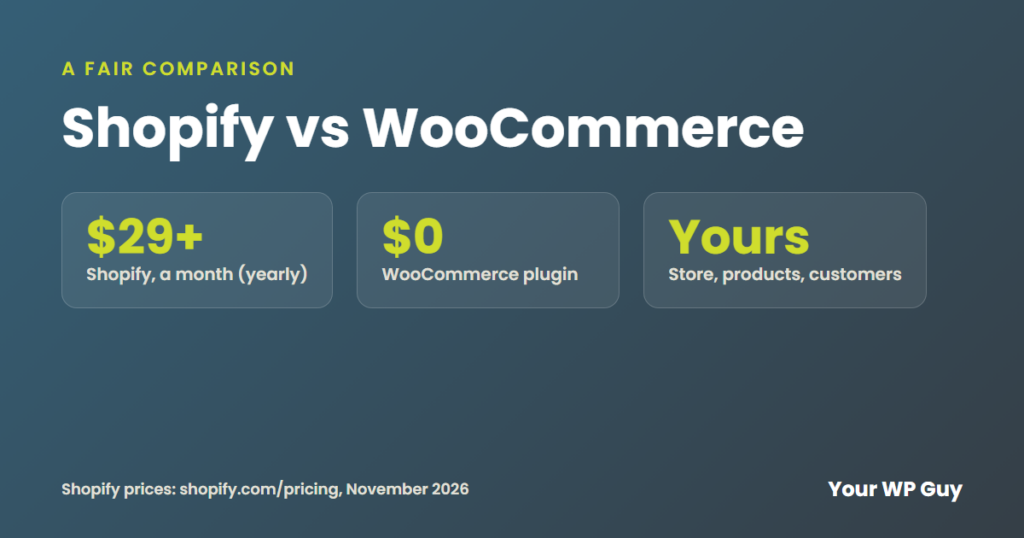
Shopify is the easier way to start selling. WooCommerce is the cheaper way to grow and the only one of the two you fully own. Shopify plans run from $29 to $299 a month on a yearly plan, plus apps and payment fees. WooCommerce is free and runs on your own WordPress site, so you pay for hosting, payment fees and only the add-ons you choose. Look at the real monthly bill, not just the plan price. If you want a WooCommerce store built for you, see our ecommerce website design.
You are ready to sell online, and every guide says to pick Shopify or WooCommerce. One looks simple. The other looks free. Neither tells you what you will really pay each month.
We build and work on WooCommerce stores, so we will be upfront about that. We will still give you the honest trade-offs. Here is how the two compare on real costs, ownership, ease of use and growing your store.
What is the difference between Shopify and WooCommerce?
Shopify is an online store you rent, with hosting and checkout included. WooCommerce is a free store plugin you add to your own WordPress website.
| Shopify | WooCommerce | |
|---|---|---|
| What it is | A hosted store you pay for each month | A free plugin on your own WordPress site |
| Plan cost | $29 to $299 a month, paid yearly | $0, plus hosting |
| Card fees | 2.9% + 30 cents on Basic, with Shopify Payments | 2.9% + 30 cents with Stripe |
| Extra fee | 2% on Basic if you use another payment company | None |
| Add-ons | Shopify apps, often monthly | Plugins, often yearly |
| Updates and security | Shopify handles them | You or your web team handle them |
| Who owns it | You rent your store from Shopify | You own the store and the site |
Sources: shopify.com/pricing and stripe.com/pricing, checked November 2026.
Is Shopify or WooCommerce cheaper?
WooCommerce is usually cheaper once your store grows. Shopify can cost less at the very start, but its apps and fees add up month after month.
Shopify costs $29 a month for Basic, $79 for Grow and $299 for Advanced, when you pay for a year. Paying month to month costs $39, $105 and $399. Shopify Plus starts at $2,300 a month. If you use a payment company other than Shopify Payments, Shopify adds its own fee: 2% on Basic, 1% on Grow, 0.6% on Advanced and 0.2% on Plus, per Shopify’s pricing page (November 2026). New stores can try Shopify for 3 days free, then $1 a month for 3 months.
WooCommerce itself is free. You pay for hosting, a domain, your payment company’s card fees and any paid plugins you add. Stripe, for example, charges 2.9% plus 30 cents per sale, with no monthly fee, according to its pricing page (November 2026).
How much does each platform take from a $100 sale?
Here is the math on one $100 online sale, using each company’s standard card rate (November 2026).
| Setup | Fees on a $100 sale |
|---|---|
| Shopify Basic with Shopify Payments | $3.20 (2.9% + 30 cents) |
| Shopify Basic with Stripe instead | $5.20 ($3.20 to Stripe, plus Shopify’s 2% fee) |
| WooCommerce with Stripe | $3.20 (2.9% + 30 cents) |
Per sale, the fees can match. The difference shows up in the monthly plan, the apps and any extra Shopify fee.
What does a Shopify store really cost each month?
More than the plan price. Apps, themes and fees are billed on top, and they are easy to miss until the bills arrive.
Here is a real example. A small, low-volume Shopify shop we looked at got three Shopify bills in one month in August 2026: $505.77, $328.22 and $484.78. That is $1,318.77 in one month, for a shop on a plan that starts at $29.
WooCommerce has its own version of this. Paid plugins renew every year, often on different dates, and those renewals are the most common surprise cost we see. The fix is the same on both platforms: keep a list of every paid add-on, what it costs and when it renews.
Want a WooCommerce store built for you?
You did not start your business to learn store settings. We build online stores on WooCommerce from $2,499, with a fixed quote first. You own the store, your products and your customer list.
1. Tell us what you sell and how you ship. 2. We build your store and test it with a real $1 order. 3. You review it, and your store opens.
Which is easier to use, Shopify or WooCommerce?
Shopify is easier on day one. WooCommerce takes more setup, but then it works much like the rest of WordPress.
With Shopify, you sign up, pick a theme and add products. Shopify runs the hosting, security and updates. With WooCommerce, someone has to set up hosting, install WooCommerce and connect payments and shipping. After that, adding products and filling orders is simple on both.
The trade-off comes later. On Shopify, you work within what Shopify and its apps allow. On WooCommerce, you can change almost anything, but someone has to keep the site updated and backed up.
What about themes, apps and plugins?
Both have free and paid themes. Shopify sells add-ons as apps in its App Store, and many are billed monthly. WooCommerce uses WordPress plugins, many free and many billed yearly. On either platform, every add-on is one more bill and one more thing that can break, so add only what saves you time.
Can you sell in person too?
Yes, on both. Shopify has its own point-of-sale system, with a POS Pro add-on at $89 a month per location (shopify.com/pricing, November 2026). WooCommerce can connect to in-person card readers, like Stripe Terminal or Square, through plugins.
Who handles security and support?
Shopify handles hosting, security and card-safety rules (PCI) for you, and offers 24/7 support. With WooCommerce, card details are handled by your payment company, like Stripe, so they never touch your site. Your host and web team handle updates, backups and security for the rest of the site.
Can WooCommerce handle a big store?
Yes. WooCommerce runs stores of every size, as long as the hosting keeps up with your checkout.
Jonathan used to run an online furniture store on WooCommerce with well over 65,000 products. That store is where he learned speed work, because a catalog that size shows every slow spot.
Here is a real example. An online store we work with sold $6,000,722 through its WooCommerce store between July 30, 2024 and September 13, 2026, according to its own order records. Busy stores like that need good hosting, chosen by how fast the checkout loads, not just by price.
Not sure how your store stacks up?
We will look at your site’s speed, forms, tracking and setup, then send you a free report with a recorded video walkthrough.
Should you choose Shopify or WooCommerce?
Choose Shopify to start fast on your own. Choose WooCommerce to own your store and keep costs down as you grow.
Shopify is a good fit if:
- You want to start selling this week, without help
- You do not want to think about hosting, updates or security
- You are fine paying monthly for apps as you add features
WooCommerce is a good fit if:
- You want to own your store, your products and your customer list
- You already have a WordPress site, or want your store and content in one place
- You want lower ongoing costs as your sales grow
- You want to change how your store works, not just how it looks
Shopify vs WooCommerce FAQs
Is WooCommerce really free?
The plugin is free. You still pay for hosting, a domain, card fees and any paid plugins you add, like shipping or subscriptions.
Does Shopify charge transaction fees?
Only if you use a payment company other than Shopify Payments: 2% on Basic, 1% on Grow and 0.6% on Advanced, per Shopify’s pricing page (November 2026). Card fees apply either way.
Which is better for SEO?
Both can rank. WooCommerce runs on WordPress, which gives you more control over content, blogs and SEO plugins like Rank Math.
Can I move from Shopify to WooCommerce?
Yes. Products, customers and orders can be moved, and the store design is rebuilt in WordPress. Redirect your old product links so you keep your Google traffic.
Which is better for a small business?
Shopify is easier to start alone. WooCommerce usually costs less as you grow and gives you full ownership, especially if someone sets it up for you.
Do I need a developer for WooCommerce?
Not to run it. Many owners add products and fill orders themselves. Setup, updates and fixes are where most people want help.
Can WooCommerce handle 50,000 products?
Yes. Jonathan ran a WooCommerce furniture store with well over 65,000 products. A catalog that size needs strong hosting, caching and a clean database, or pages and search slow down.
Sources
- Shopify, Pricing (checked November 2026)
- Stripe, Pricing (checked November 2026)
What to do next
If you want to start selling this week on your own, Shopify is a fine place to begin. If your store is meant to be your hardest-working employee for years, build it on something you own and check the real monthly bill on either side.
Talk to a WordPress expert about your online store.
Keep reading: WordPress vs Wix | WordPress vs Squarespace | The most common ecommerce website design mistakes